
10G CWDM SFP+ Transceiver Supplier: Match the Module to the Channel and Link Budget
The fiber route may be 40 km long, yet a module labeled “40 km” can still be unsuitable for it. A buyer choosing a 10G CWDM SFP+ transceiver supplier should first match the host interface, the actual CWDM channel and the complete optical budget. Feiyi’s 10G CWDM SFP+ transceiver is a starting option for engineers and network equipment buyers building wavelength-multiplexed 10G links. Its ordering rows need to be checked against the passive filters and the receiving module before an order is released.
For a channel expansion through an existing mux, begin with the wavelength label on that mux port. For a new pair of endpoints, begin with the host’s required module format and supported application. These two starting points lead to the same approval: one documented channel, a compatible electrical interface and a received-power range that remains acceptable under the planned link conditions.
Three approvals that should remain separate
- The host recognizes and operates the selected SFP+ configuration.
- The wavelength traverses the intended CWDM filter route.
- Received power stays between the approved sensitivity and overload limits.
Start the 10G CWDM SFP+ order with a channel rather than a distance label
Feiyi’s ordering table lists an XKSFC-XX96-80BD row at 10G, with an 80 km distance entry, 1470–1610 nm CWDM range, DFB/PIN source-and-receiver entry and LC/PC connection. It also lists XKSFC-XX96-40BD at 10G, 40 km, 1270–1330 nm and EML/APD. The precise wavelength and approved optical specifications are needed to turn either family row into an orderable configuration.
Those rows should be read as published, without silently replacing the source or receiver combinations with a more familiar arrangement. If a project requires a wavelength outside the range associated with the chosen row, obtain confirmation for that configuration. A broad family introduction is not a replacement for a wavelength-specific ordering record.
Match the module wavelength to the CWDM mux port
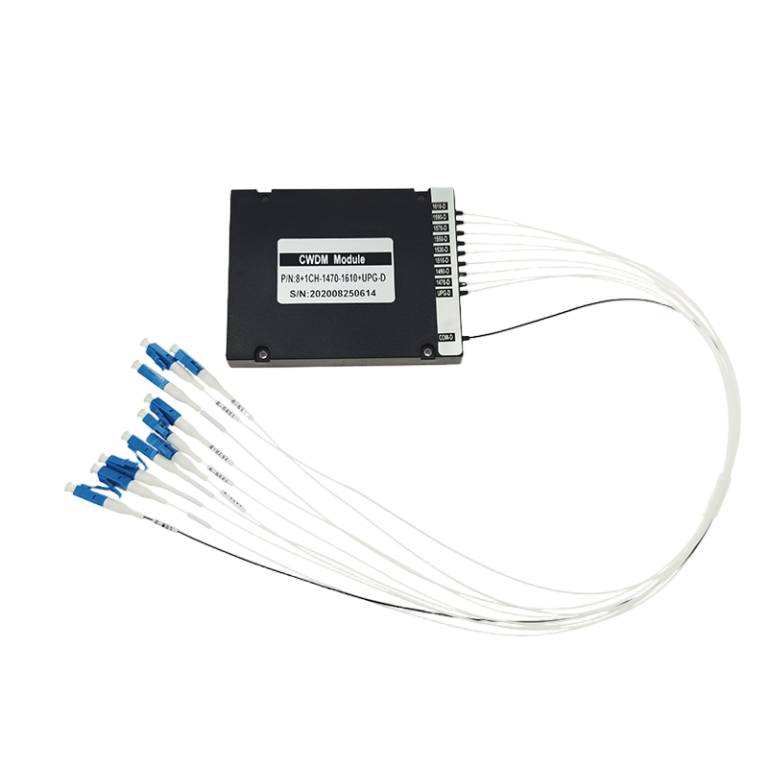
Feiyi’s 8-channel CWDM mux/demux represents the passive channel assembly that may sit between two modules. Record its actual channel map, common port and operating direction. “Eight channels” does not identify which wavelength is assigned to the port being connected.
A network integrator adding one circuit to a partly occupied mux should preserve the installed channel map. Reordering a convenient wavelength without checking that map can leave a working module connected to a filter that rejects its transmitted light. Photographing the port label and recording the filter assembly configuration is a practical way to keep the module order tied to the installed route.
A 3-port CWDM filter has a different routing job
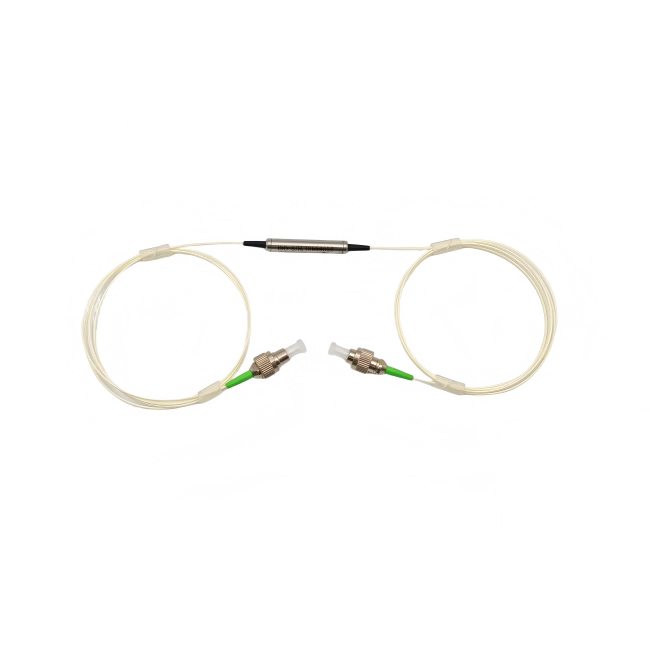
The 3-port CWDM device can separate a selected channel through common, transmission and reflection paths. Its route is not the same purchase as a completed eight-channel assembly. An OEM using individual filters needs the selected wavelength and the transmission/reflection labels for every device in the optical path.

For engineering background, Cisco’s CWDM SFP+ documentation separates module format, wavelength and optical interface requirements. That distinction helps organize a purchasing review; Cisco platform support and optical ratings do not establish compatibility or performance for a Feiyi module.
A 10G CWDM SFP+ transceiver supplier should provide both ends of the optical budget
The Feiyi ordering table does not supply the detailed transmitter-output, receiver-sensitivity and receiver-overload values needed for a complete calculation. Obtain those figures for the exact selected module. Until they are available, the 40 km or 80 km entry is a product selection clue, not a guarantee that a particular installed link will work.
Evaluate the path between the transmitting module and the receiving module. Include the actual fiber attenuation at the selected wavelength, mux or filter loss, connectors, splices and any planned reserve. Keep those loss contributions tied to the path they describe. A filter measured at one wavelength does not supply a universal number for every CWDM channel.
Long-link sensitivity and short-link overload are different limits
On a long or heavily filtered path, the minimum transmitted power and receiver sensitivity help establish the available margin. On a short path, maximum transmitted power and receiver overload become important. A module with a long-distance label is not automatically a convenient substitute for every shorter connection.
Consider a distributor supplying spare modules to several customer installations. One circuit may use a long outside-plant span, another a short connection through a local mux. A single distance label cannot approve both. Separate the customer configurations and obtain the optical limits for each use rather than marketing the spare as universally suitable.
If attenuation is needed for a short link, define it from the approved optical limits and the measured route. Do not prescribe a fixed attenuator solely from the nominal distance of the module. The commissioning record should retain the selected module identifiers, attenuation arrangement and received-power evidence for each end.
Filter loss should be counted in the route that carries the channel
A mux/demux pair can add loss at both endpoints. An individual three-port filter may place the chosen channel in transmission while other light follows reflection. Identify the actual route before adding loss figures. Counting one generic “CWDM loss” line can hide either a missing device or a device that the channel never traverses.
This route-based calculation also helps when changing the passive assembly. A new filter may preserve the wavelength while altering the path loss. Recheck margin with the replacement configuration instead of approving it simply because both assemblies are labeled CWDM.
Confirm the SFP+ host and LC/PC interface before choosing alternatives
The 10G CWDM product describes an SFP+ footprint, hot plugging, digital diagnostics and power dissipation below 1.5 W. It lists commercial case temperature from 0 to +70°C and an industrial option from −40 to +85°C. These family features do not provide a named host compatibility list. The buyer should qualify the ordered module with the intended port, application and software environment.
For a densely populated switch, the case-temperature range deserves a review of the installed conditions. An ambient-room temperature is not the same measurement as module case temperature. Select the intended temperature version and retain that identity when ordering spares. The low-power family claim does not replace the host’s own thermal and power requirements.
CWDM XFP modules cannot be treated as SFP+ replacements
Feiyi also lists a 10G CWDM XFP transceiver. That option belongs in a review of equipment requiring the XFP format. It is not a mechanically interchangeable SFP+ module, even when the line rate and intended wavelength are similar. Identify the installed cage and electrical interface before transferring an optical selection between these products.
The 1.25G/2.5G CWDM SFP family addresses another rate family. Its availability is useful when a network contains legacy and newer circuits, but it does not make a 2.5G module suitable for a 10G port. A mixed-network purchase should list the rate and format alongside the channel for each endpoint.
The 10G SFP+ table lists LC/PC. Specify the actual optical interface and patching arrangement, including the polish of mating connectors. Do not assume that an angle-polished connector becomes acceptable merely because it uses an LC body. The approved module interface should determine the connected cord and adapter selection.
Where a project uses a single-fiber bidirectional CWDM arrangement, document the wavelength assignment in each direction separately. The transmitter at one end must traverse the intended filter route to the receiver at the other. The same channel name on two order lines does not, by itself, describe that bidirectional arrangement. Confirm the actual module pair and passive assembly before interpreting a system-level drawing as permission to substitute any CWDM SFP+.
A two-fiber installation needs a different connection record: identify which fiber carries each direction, and label the transmit and receive connections at both endpoints. This matters when a replacement module is connected through a patch panel with established labels. A reversal may prevent the link from operating without revealing any defect in the optics. Preserve the route identity while testing the first sample.
For the commercial and industrial variants, ask whether the selected channel, optical limits and diagnostics remain the same between the approved versions. Do not assume that changing the temperature label changes only the enclosure condition. The purchase record should identify which technical document covers the ordered version, allowing an installer to distinguish the accepted spare from another visually similar module.
Acceptance should include the application the host will run. A family listing several protocol uses does not establish that every host will negotiate or operate each one automatically. The module approval should state the intended 10G service and the result of the host evaluation, keeping that evidence separate from optical continuity through the mux.
Use DDM as commissioning evidence rather than a substitute for acceptance
Feiyi describes built-in digital diagnostic functions, while its ordering rows include a Y/N DDM field. Resolve whether diagnostics are included in the supplied configuration, how the host reads them and which values are reported. A feature mentioned in the family description should be reflected explicitly in the purchased version.
During sample evaluation, compare reported optical readings with the commissioning method agreed by the project. Diagnostics can help track a changing connection or an unexpected received-power level, but they do not independently prove that every required performance condition has passed. Record the module, host port and route used for the observation.
If a module establishes a link but reports an unexpected value, inspect the connection and the passive route before treating the diagnosis as a module fault. Preserve the original labels while exchanging samples. Swapping several wavelengths and modules at once makes a channel error harder to distinguish from a receiving or host issue.
Feiyi’s optical transceiver overview provides broader context for the module’s role. The purchase approval here should remain more specific: one SFP+ configuration, one CWDM channel and the optical limits of the two connected endpoints.
Keep the channel identity visible through receiving and installation
Agree labels showing the module configuration, wavelength, temperature version and any required diagnostic option. For a multi-channel order, separate those identities in the packing list so that receiving staff can reconcile them without energizing every module. Request protection for the optical interface and handling arrangements appropriate to the delivered modules; the product page does not establish a particular shipping kit.
The order should also identify the approved technical document and the acceptance evidence expected for the configured module. Confirm dispatch timing for the actual channel mix. Neither a listed 80 km row nor a product photograph proves current inventory or a guaranteed delivery period.
Release the order when the host, mux port and two-end optical budget agree. If the passive channel is known but the receiver overload or sensitivity remains undocumented, leave the module approval open until those limits are supplied. That missing information matters more to a dependable 10G circuit than selecting the longest distance in the catalog.